What's New at inBuild - July 16th 2026
Last updated: August 4, 2026
Welcome back to What's new at inBuild, your roundup of our latest features and updates. From major integrations to new AI workflows, here are the biggest updates we shipped recently.
Skip or Reassign Pending Reviews
People deserve a vacation, especially during summer break, which is why you can now easily reassign or skip a pending review. Your Admin team can fully control how invoices get assigned or skipped when using Approval workflows within inBuild.
On the Invoice Review page:
Under the Approvals section, click "View details"
At the top you can "Skip all" and sync directly to Procore
In the current Approval tier, you can now:
Reassign to a different member
Skip that member
Skip the entire tier
Remind the member (sends an email and notification)
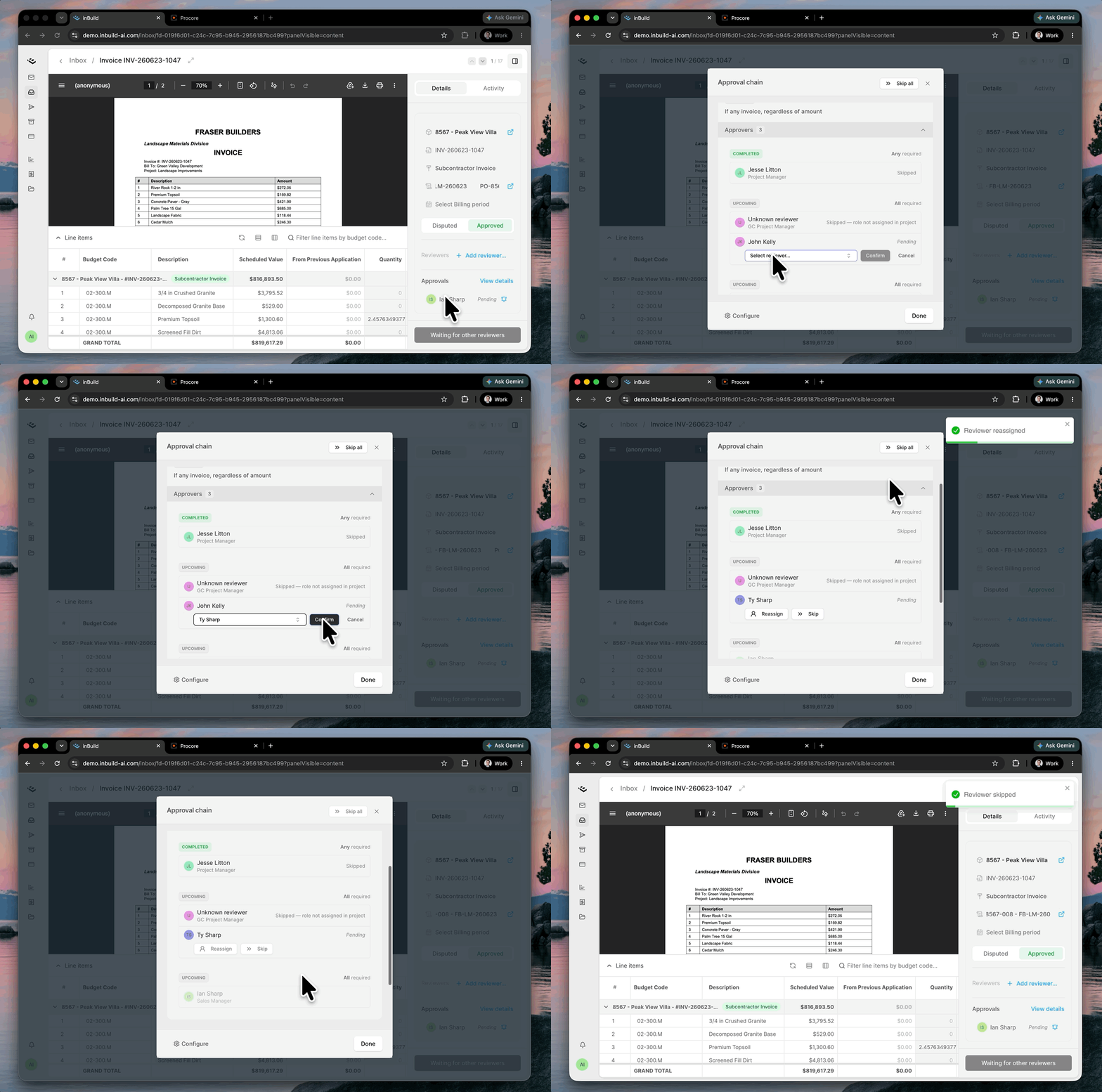
You can also skip and reassign reviewers on the Accounts Payable page under the "Approval" column. Click on the clock icon with the number of reviews next to it.
Only Admin users can Skip and Reassign reviews
My Items Inbox View
For Admins managing other team members along with their own items and reviews, it can get tedious always applying filters for assigned to you and pending reviews. That's why we built the "My Items" inbox view. Under the Inbox side-bar navigation is "My Items".
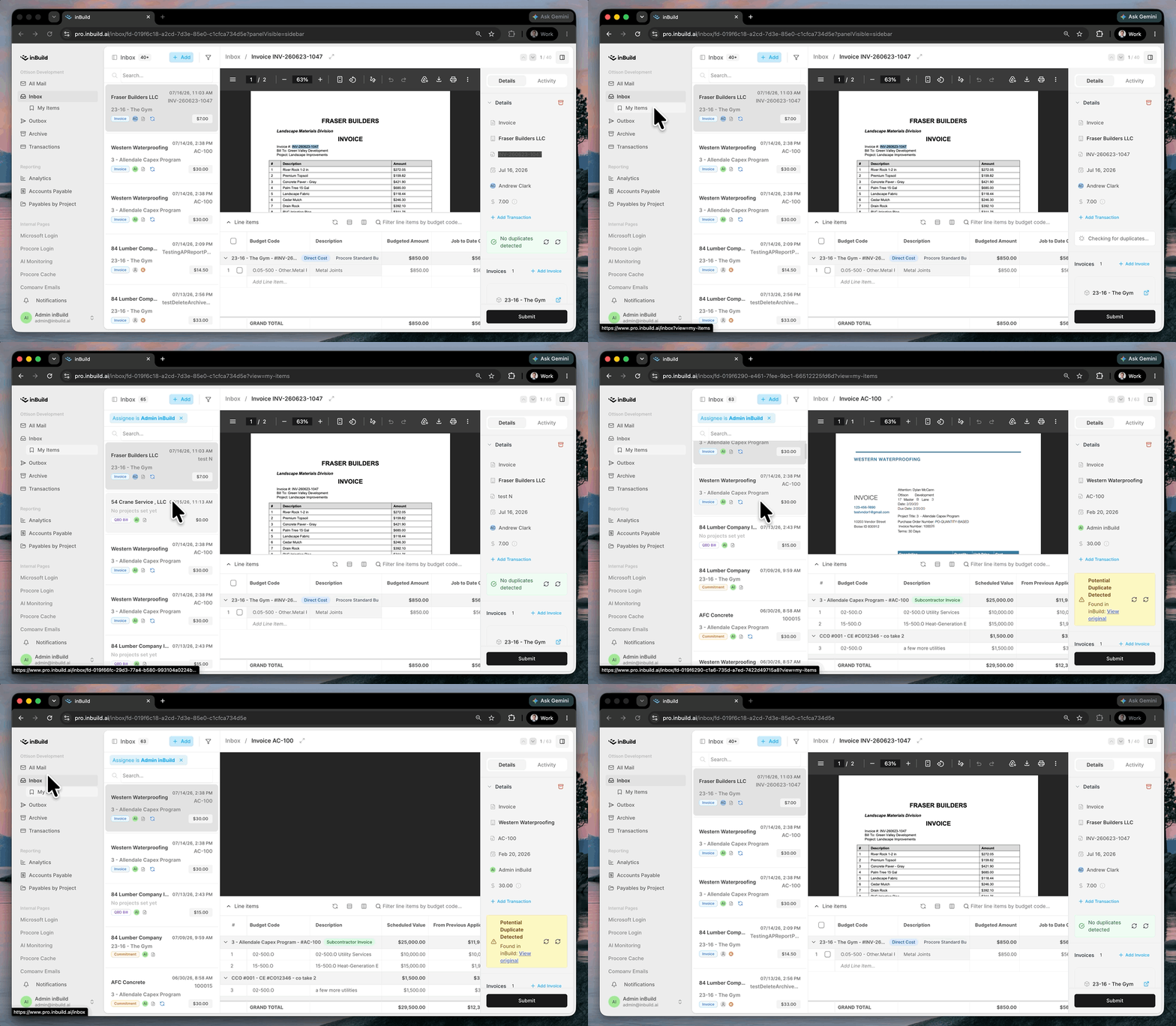
This is a filtered inbox list of all items that are Assigned to you. If you have Approval workflows enabled within inBuild, it will also show all Pending Reviews assigned to you.
More updates
[Customizable AP reports] You can now customize the columns on the Accounts Payable report to show exactly the data you care about. Hide, reorder, and filter the data to your liking.
[Quantity & Unit Cost on line items] Direct cost line items now include Quantity and Unit Cost columns for more precise cost tracking.
[Notifications on mobile] A new notification bell with an unread indicator and popover keeps you on top of new activity.
[QuickBooks Class & item-level billing] Standalone QBO and QBD bills now support per-line QuickBooks Class selection, plus Products & Services (item-based) line items for QBO, so your bills map to QuickBooks exactly the way your books are structured.
[Small changes and bug fixes] Invoice number now shows on inbox items, vendor credits get marked as Billable when syncing to QBO, and invoice type column shows in Accounts Payable.