What's New at inBuild - July 30th 2026
Last updated: August 4, 2026
Welcome back to What's new at inBuild, your roundup of our latest features and updates. From major integrations to new AI workflows, here are the biggest updates we shipped recently.
Direct to QBD Bills
Bills can now go straight from inBuild to QuickBooks Desktop without needing to go to a Procore project. Upload an invoice, let AI pull the details, review, and sync. This month we brought QBD bills to the party.
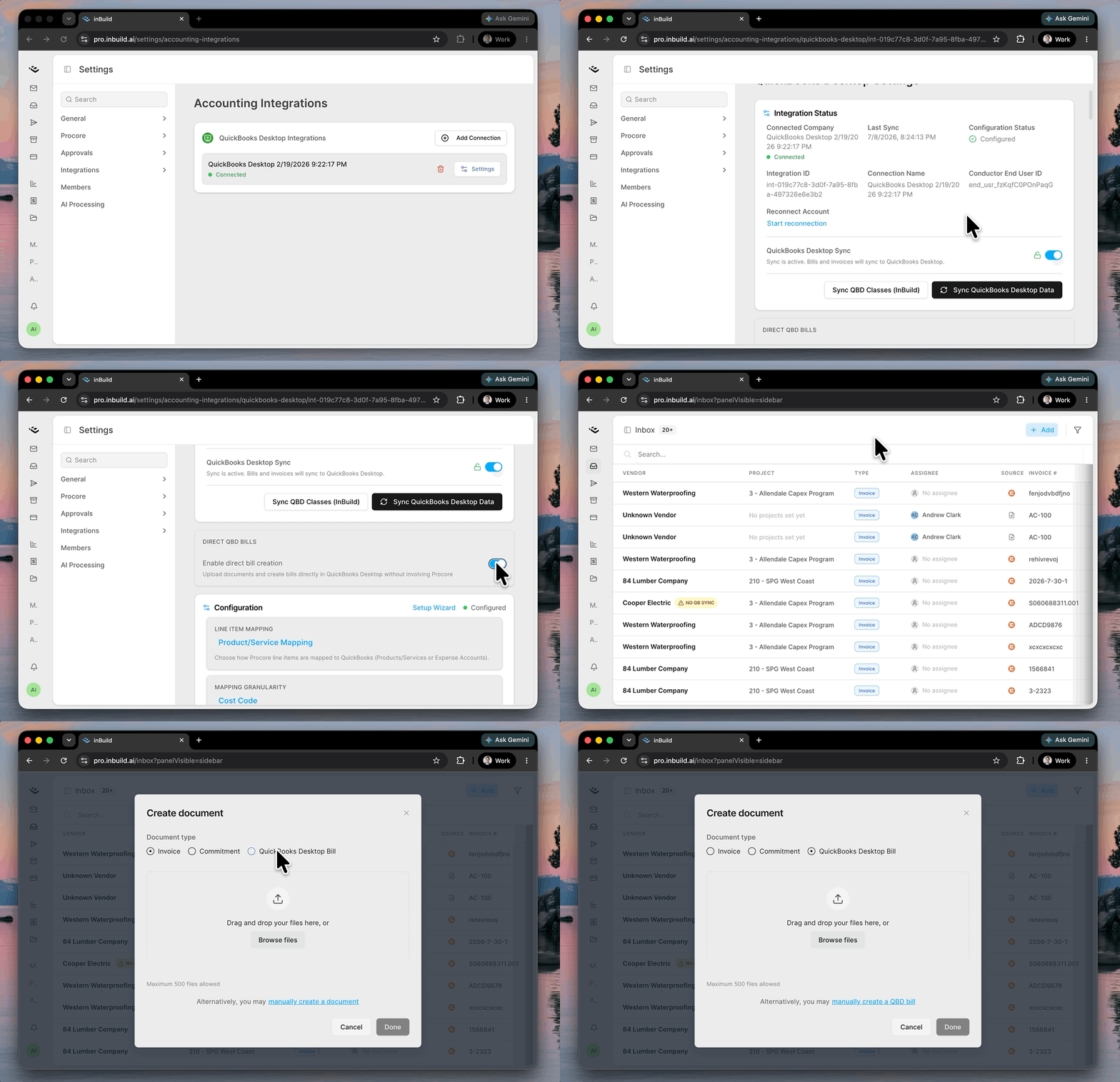
Navigate to your Settings -> Integrations -> Accounting Integration Settings -> enable Direct QBD Bills. Once enabled, you can begin uploading QBD Bills in your inbox upload. You can also switch an Invoice document type from "Invoice" to "QBD Bill" on the left side under Details.
Approvals for Accounting
Approvals aren't just for Procore invoices anymore. QuickBooks bills created in inBuild can now require sign-off before anything reaches your accounting system.
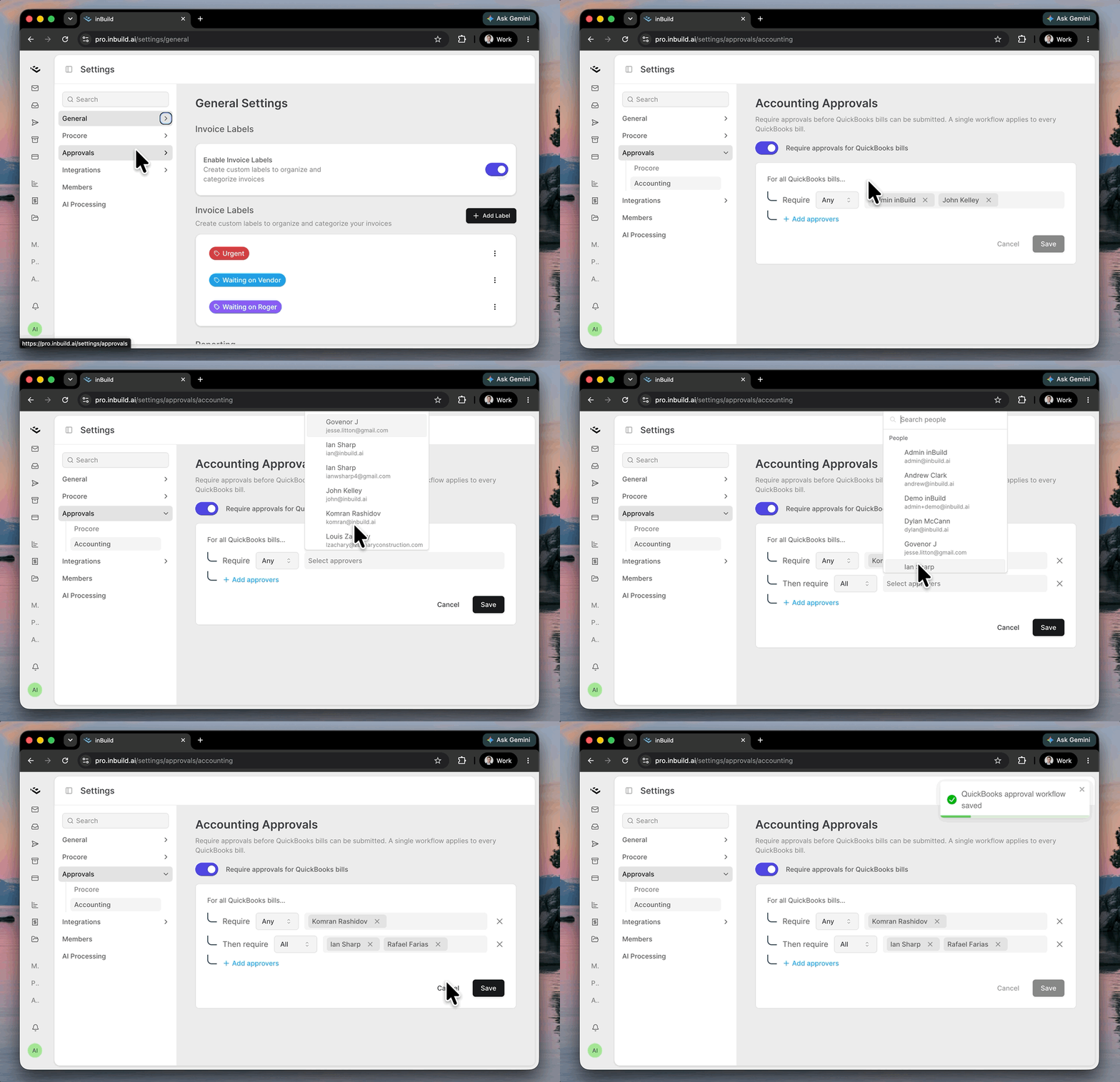
Head to Settings → Approvals → Accounting and turn on Require approvals for QuickBooks bills. From there, you can build the tiered workflow that applies to every QuickBooks bill.
More updates
[Searchable Settings] Search across every setting from the settings sidebar! It's not just page names, but individual toggles and fields. Results jump you straight to the settings you need changed.
[Improved project and commitment selection] Commitment pickers now show all available commitments with their status, while preventing selection of ones that are not approved.
[Upload more files] The multi-file upload limit went from 6 to 500. Large batches now move through an analysis queue you can open from the inbox header to see each file's position, bump one to the front, or cancel.
[Flag partially billed line items] Turn on "Warn on underbilling" in Procore settings and requisition lines that were billed this period but still have a balance to finish get highlighted during review.
[Small changes and bug fixes] More reliable approval and sync workflows. Procore sync failures now explain what went wrong in plain English and link you straight to the page in Procore that needs fixing. We also fixed support chat so you can reliably view and reply to your existing conversations.