What's New at inBuild - June 11th 2026
Last updated: June 11, 2026
From major integrations to new AI workflows, here are the biggest updates we shipped recently.
Stamp PDF Feature
Capturing invoice data is our bread and butter, and now inBuild can automatically stamp that data right onto each invoice PDF. You can customize the stamp with any invoice fields, styles, and formatting.
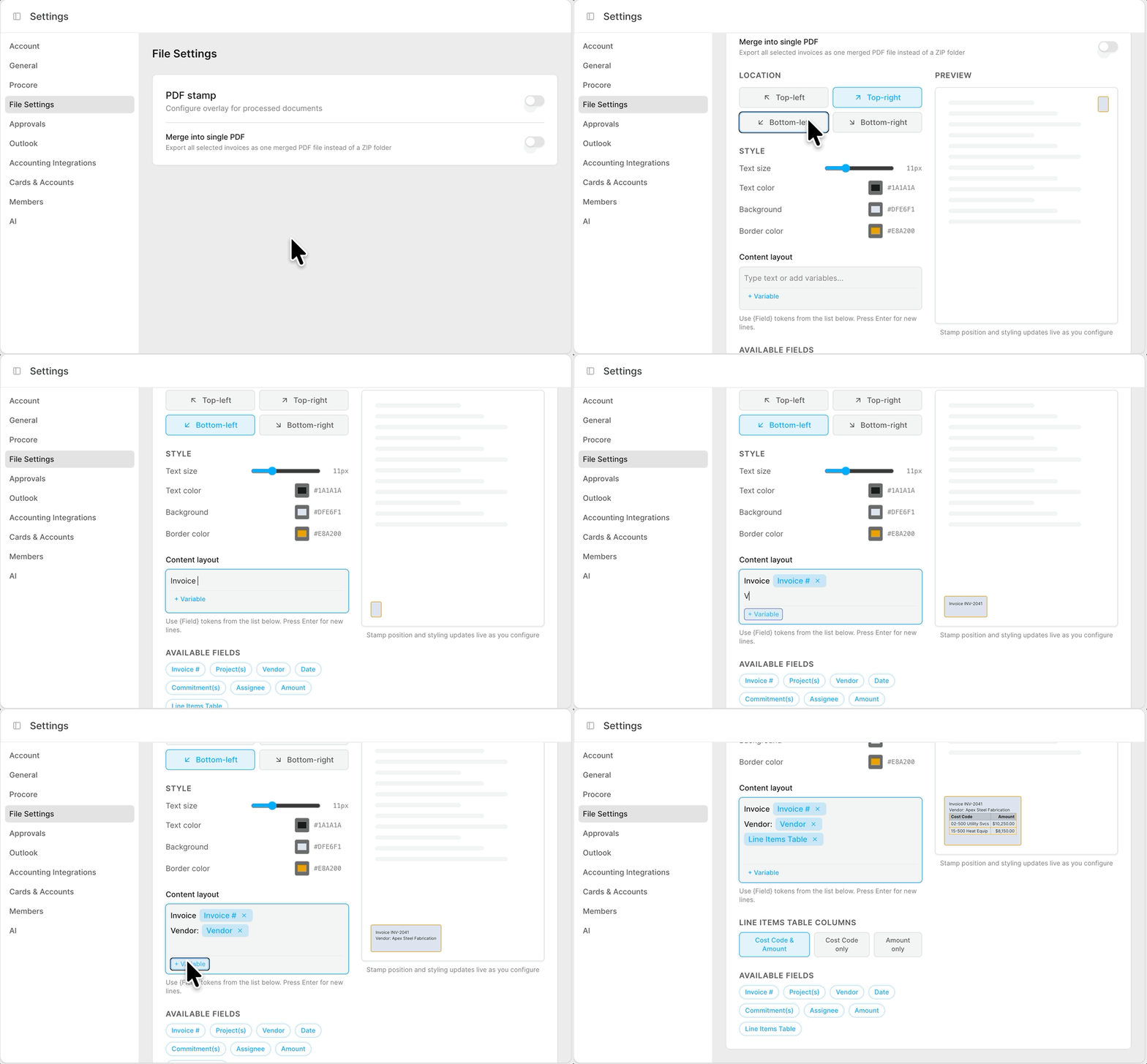
Head on over to the Settings > File Settings > PDF Stamp.
When enabled, the stamp will be automatically applied to invoices when they sync to Procore.
You can export all stamped PDFs from Accounts Payable.
By default, the export will compile all invoices individually into a ZIP folder.
If you want the export to be one large merged file, you can enable the setting to Merge into single PDF

Customize the stamps location, style, and data layout with these available fields:
Invoice #, Project(s), Vendor, Date, Commitment(s), Assignee, Amount, and a customizable Line Items Table.
When you enable the PDF Stamp feature, you can show the stamp on processed invoices by clicking the "Show stamp" button in the lower right-hand corner of the PDF viewer for an invoice.
All Mail Feature
For teams connected to Outlook, our new All Mail feature allows you to track every email coming into the connected Outlook account. When the AI thinks an email isn't an invoice, but in fact it is, you can now easily track that email down and convert it into an invoice.
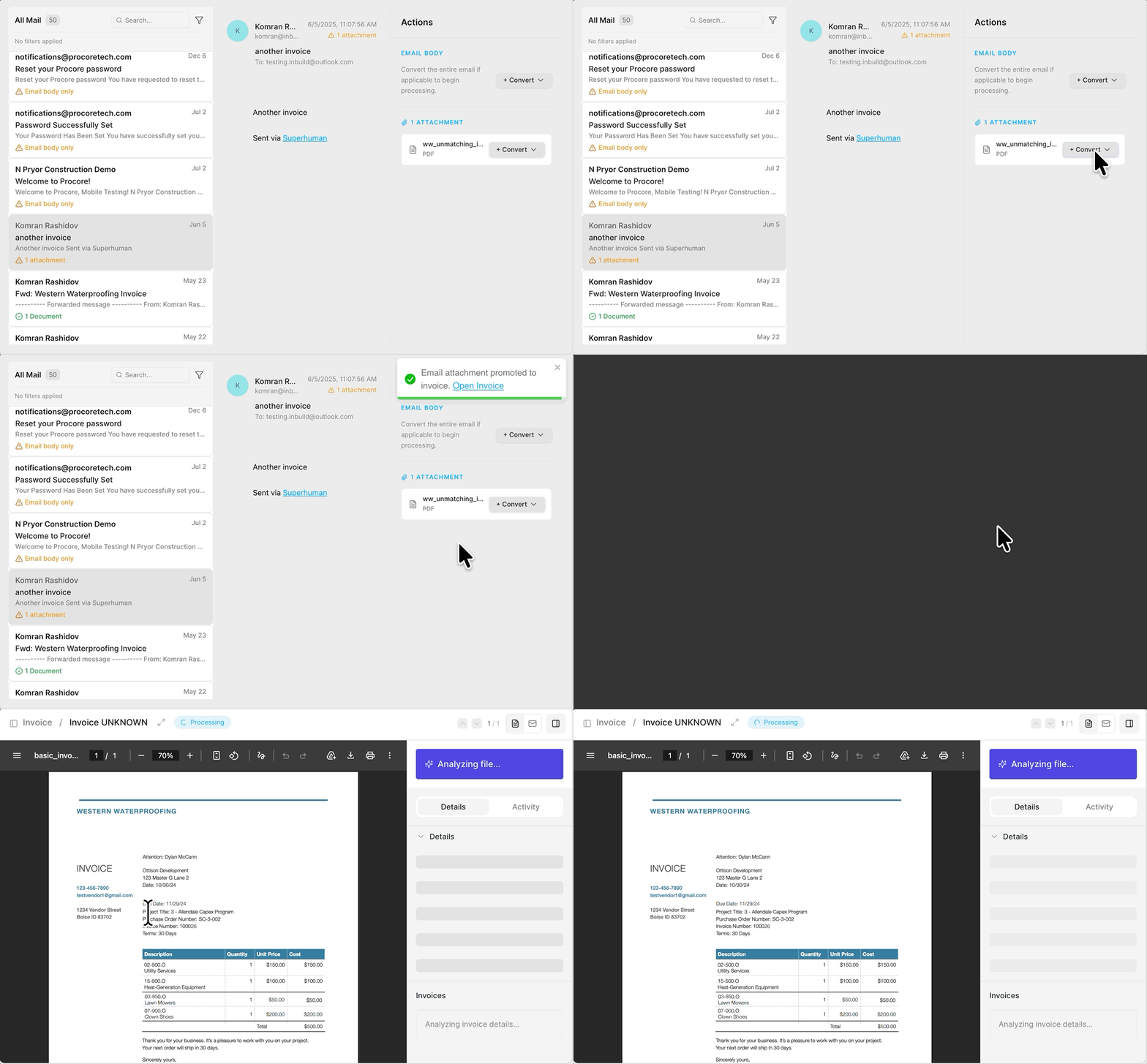
Enable this feature by heading over to Settings > Members and enabling the access for specific team members who oversee the incoming mail box(s).
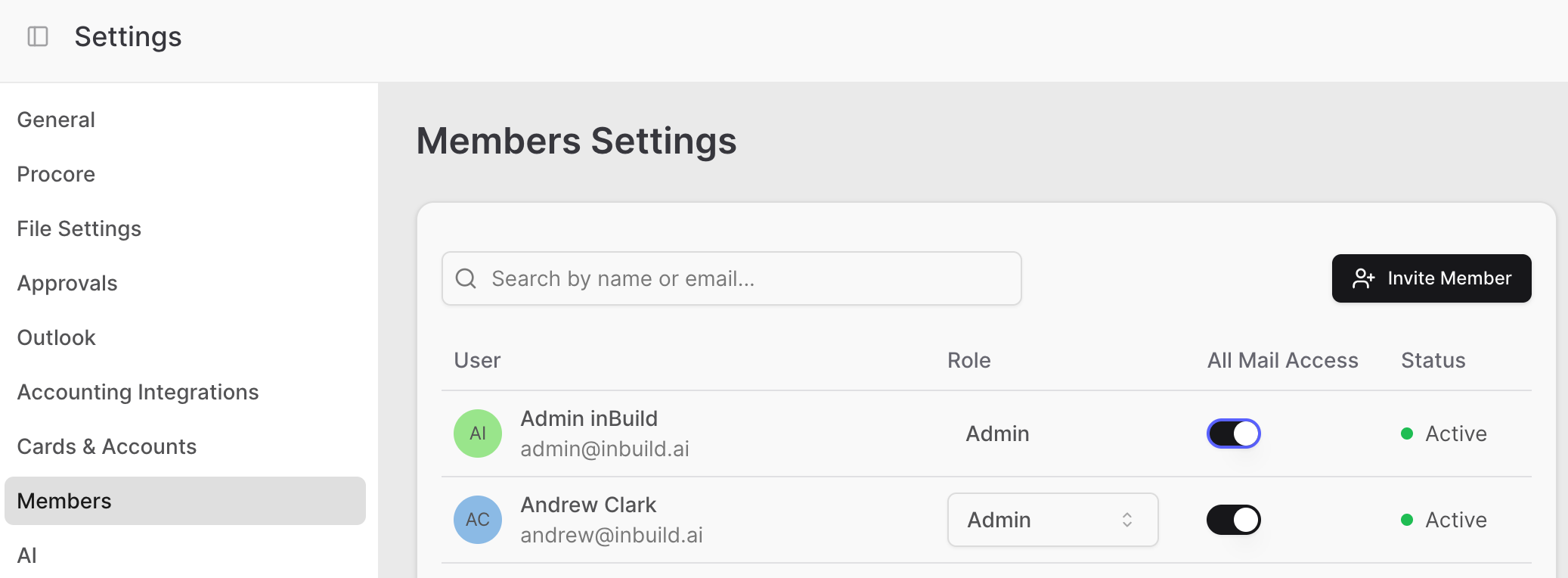
Search or filter the emails in the connected account(s). Track which emails were converted into Documents. View the email body, and take action:
Convert the Email Body into an Invoice, Commitment, or Receipt.
View and Convert Attachments into an Invoice, Commitment, or Receipt
Converting into an Invoice will match the Payable to a Commitment in Procore, converting a Receipt will create a Payable as a Direct Cost in your inbox, and converting into a Commitment will create a Purchase Order/Subcontract (Note: Commitment requires the "Commitment Processing" tool to be enabled)
Direct to QuickBooks Online Bills
Our mission is to create a centralized hub for all financial workflows. One further step in this direction is our QBO Only tool, which allows you to process bills directly into QBO without needing to sync them into Procore first.
This is great for teams connected to QuickBooks Online who need to process project-related overhead invoices and don't need to sync into Procore.
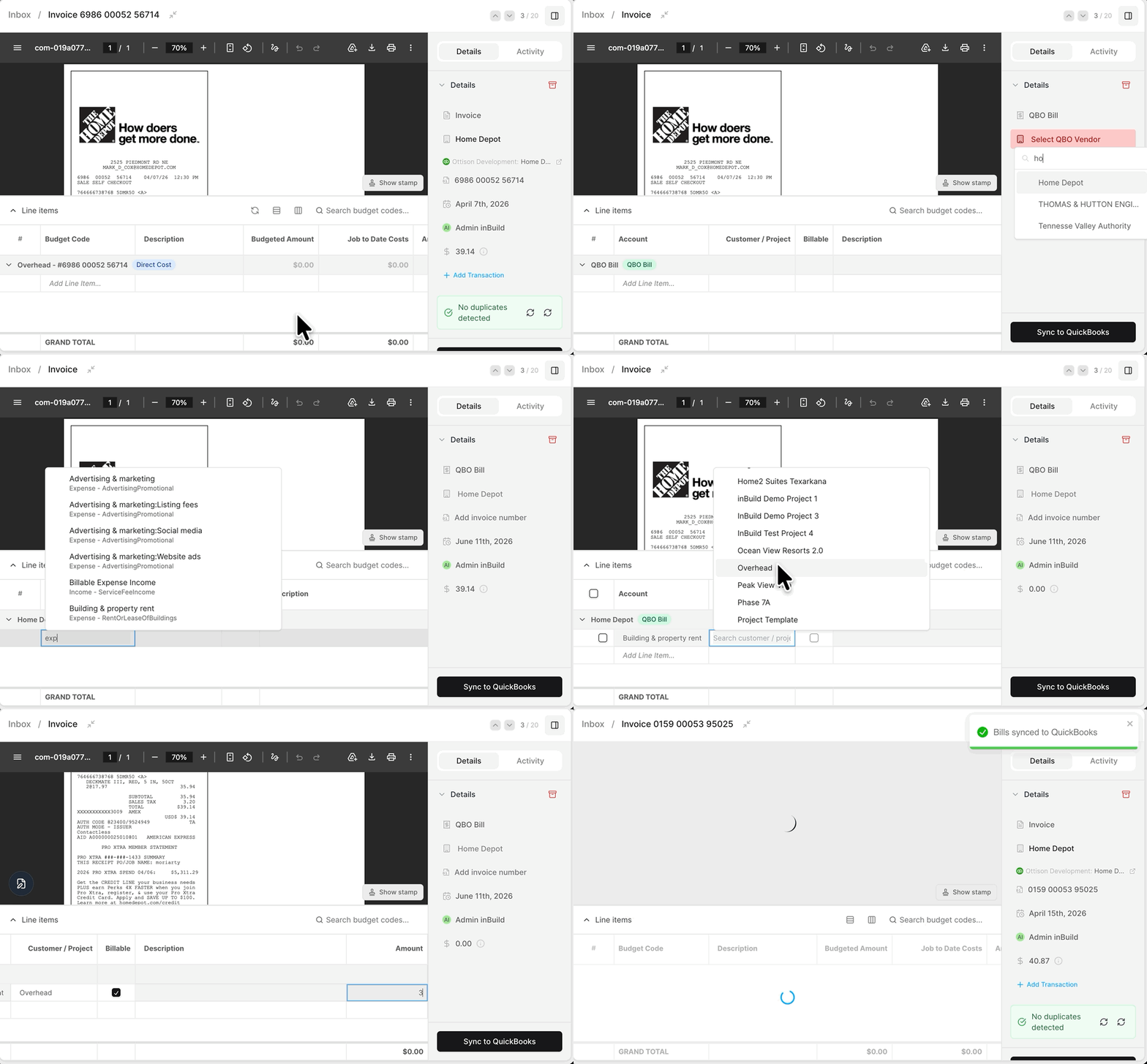
Enable this feature in the Settings > Accounting Integrations > QuickBooks Online Integration Settings > Direct QBO Bills.
Once enabled, invoices in your inbox will have a Document Type selector at the top of the Details section.
Switch a Payable from an Invoice type to a QBO Bill Type.
The vendors will pull directly from QBO instead of Procore
The line items have:
Chart of Accounts directly from QBO
Customer and Projects directly from QBO
Billable Option
Customizable Description
Amount field
If you want to split a QBO Bill among different customers, simply add multiple lines, each with a separate customer assigned to it.
More updates
[Activity Feed Improvements] Track the history of the origin, reviews, approvals, disputes, and synced status all within the Activity feed.
[Exclude inactive Procore vendors] The list of available vendors now only includes active vendors from the Procore directory. Any inactive vendors in Procore will no longer appear as options in inBuild.
[Edit Cost Codes in Bulk for Direct Costs] When you want to change many costs codes for a Direct Cost, you can now edit in bulk.