What's New at inBuild - July 2nd 2026
Last updated: August 4, 2026
Welcome back to What's new at inBuild, your roundup of our latest features and updates. From major integrations to new AI workflows, here are the biggest updates we shipped recently.
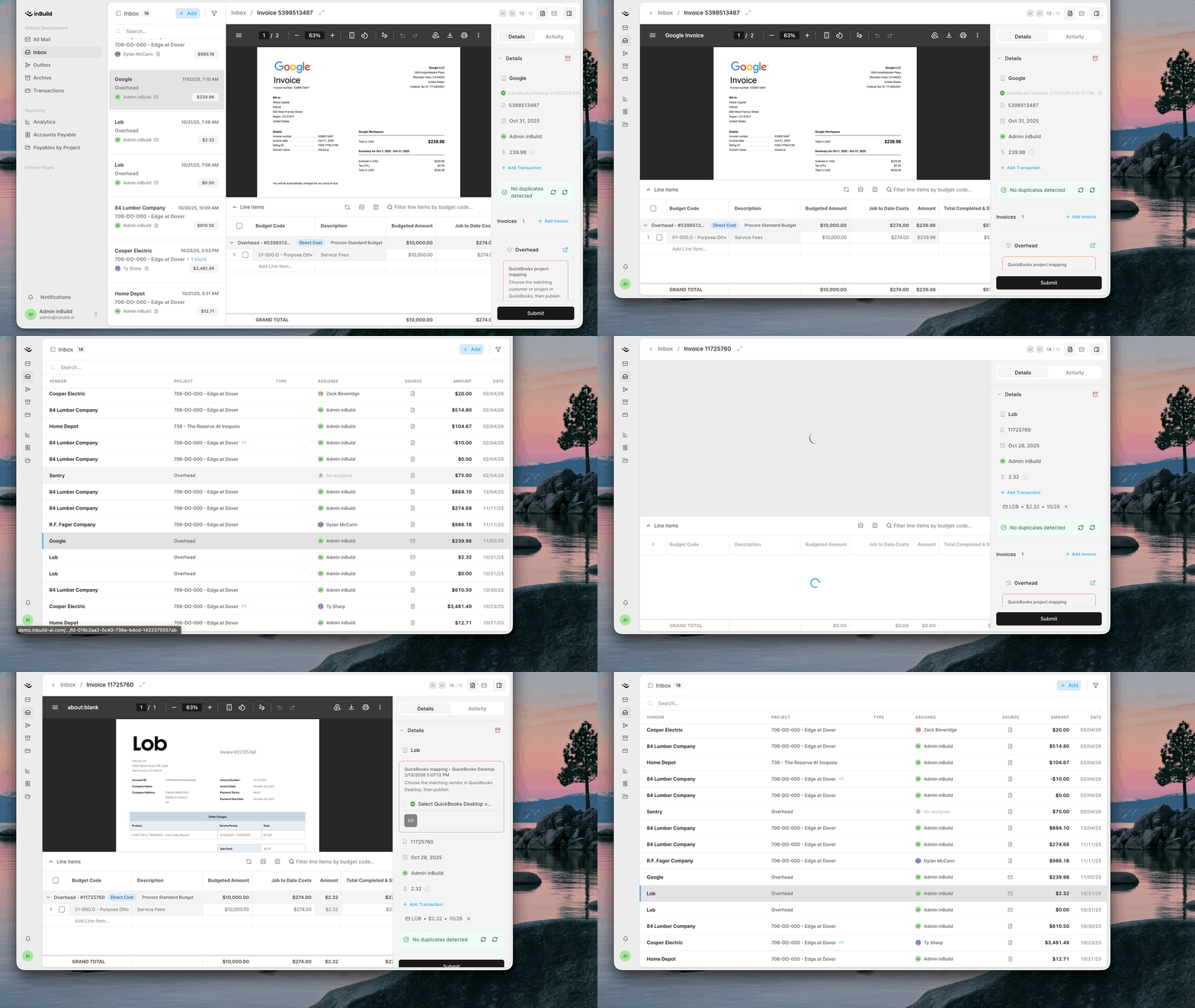
Inbox Optimizing Small Screen Sizes
Team members using small laptops and tablets get more room to breathe in their inbox. The improved inbox view on smaller screens compacts the rows and reads like the email view you'd expect.
Control Which Procore Invoice Types Sync to QuickBooks
You can now specify which invoice types, from Subcontractor Invoices to all three Direct Cost types, sync to QuickBooks. When enabled, invoices created and approved directly in Procore are automatically imported into inBuild in order to sync them to QuickBooks.
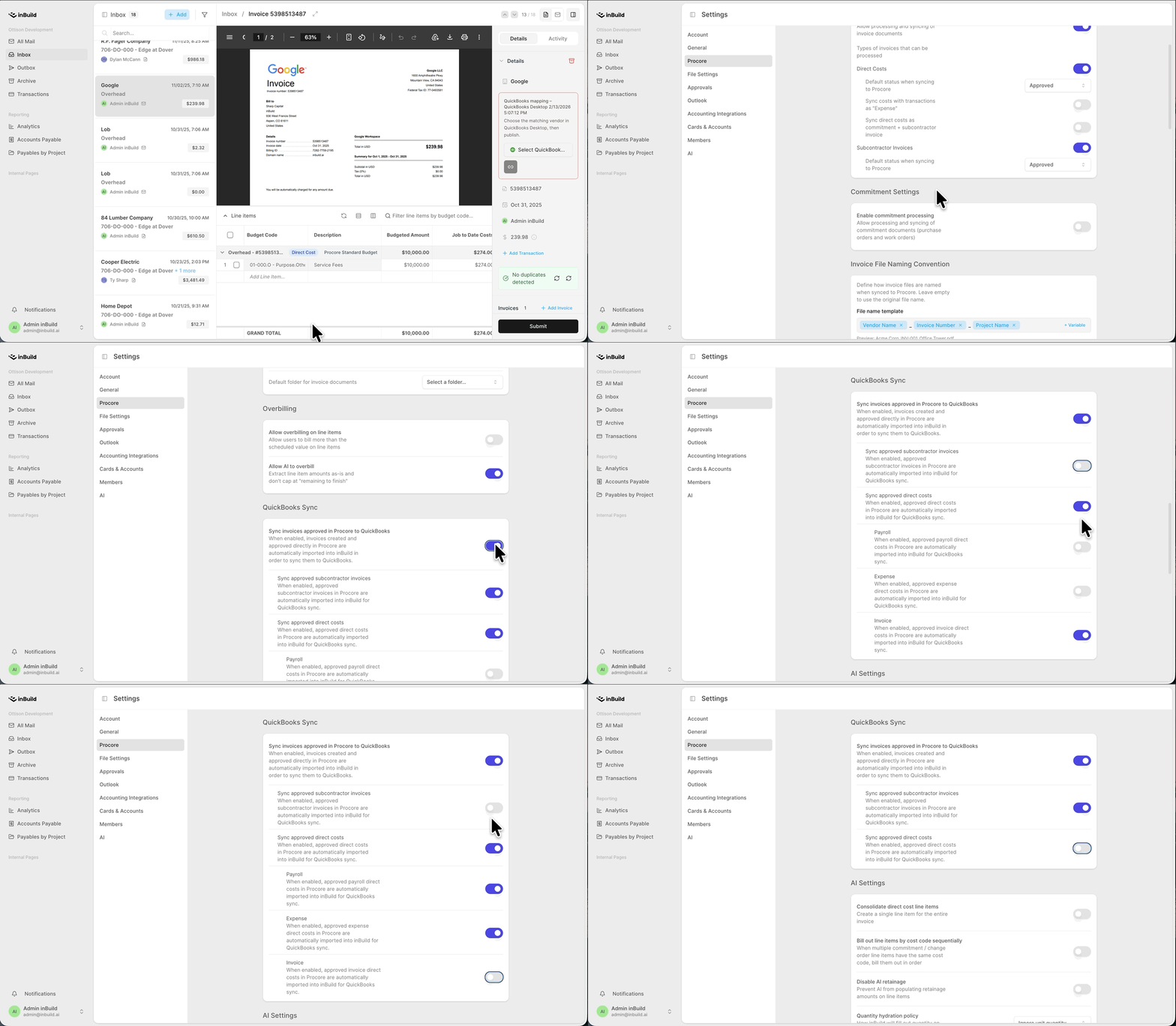
Head over to Settings -> Procore -> QuickBooks Sync to set it up to suit your needs.
Sync approved Subcontractor Invoices
Sync approved Direct Costs
Enable or Disable Payroll, Expense, or Invoice type Direct Costs from syncing
More updates
[Review Reminder Notifications] inBuild can now send review-reminder notifications to nudge assignees about invoices still awaiting review, so nothing sits in the inbox unattended.
[Cancel & Re-Analyze Invoice Processing] You can now cancel an invoice that's mid-processing and re-run analysis on it. This is handy when a document was uploaded in error or needs a fresh pass.
["Mark as Synced" for QuickBooks Desktop] Bringing back a favorite from inBuild Classic: mark a bill as synced to QuickBooks Desktop without an actual sync. It's perfect for invoices already entered manually or that don't need to sync.
[Search Chart of Accounts by Number] In Direct-to-QBO, you can now search the chart of accounts by account number, just like searching by cost code or description.
[Payment Account Selection & Expense Sync] Select a payment account on an invoice or QBO-only bill to mark is as paid. This change also fixed the Credit Card payment method syncing to QuickBooks as an Expense instead of a Bill + Bill Payment.