What is inBuild?
Last updated: August 11, 2026
inBuild is a construction finance platform that helps your team receive, review, approve, and track invoices and other financial documents. It connects your document workflow with systems such as Procore, QuickBooks Online, and QuickBooks Desktop so your team can work from one organized process.
Your available pages and workflows depend on your role, your company’s settings, and the integrations your company uses.
What can you do in inBuild?
Process invoices and commitments
Invoices can enter inBuild through a connected email account, a manual upload, or another enabled workflow. inBuild uses AI to identify document details and line items, then places the document in the Inbox for review.
Your team can correct the extracted information, assign the document, complete required approvals, and submit it to the connected destination. Depending on your company’s setup, inBuild can process Procore Direct Costs, Subcontractor Invoices, Purchase Orders, and Work Orders.
Create bills directly in QuickBooks
Companies using QuickBooks Online or QuickBooks Desktop can create standalone bills directly from inBuild when the corresponding feature is enabled. This workflow can bypass Procore when a bill does not need to be recorded there.
Match transactions and receipts
With Cards & Accounts connected, your team can review card and bank transactions, identify missing receipts, and link supporting documents to the correct transaction.
Track work and report on results
The Outbox and Archive help you track documents after they leave the Inbox. Reporting pages provide accounts payable, project, and processing insights when your role includes reporting access.
How documents move through inBuild
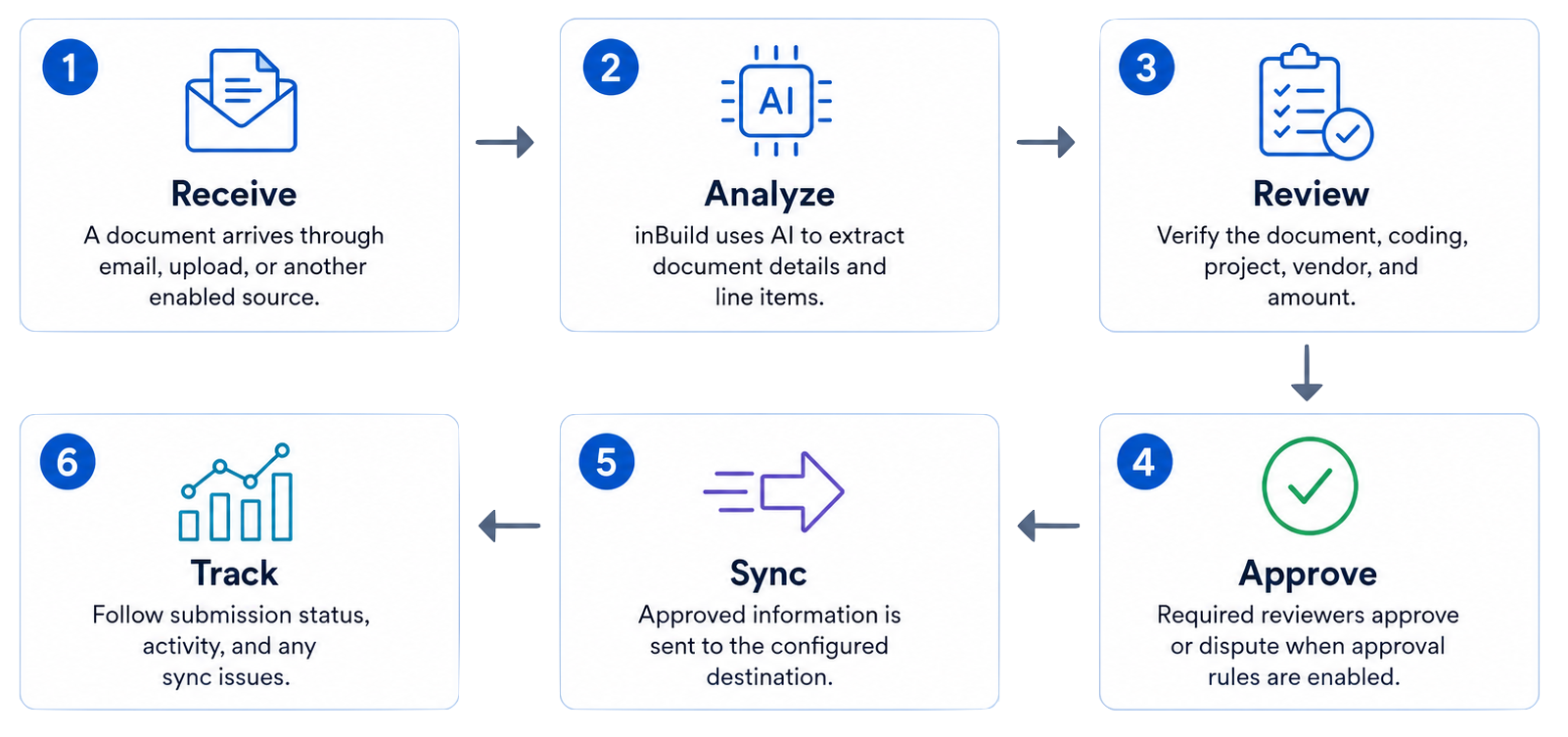
Receive: A document arrives through email, upload, or another enabled source.
Analyze: inBuild extracts details and line items with AI.
Review: A team member verifies the document, coding, project, vendor, and amount.
Approve: Required reviewers approve or dispute the document when approval rules are enabled.
Sync: inBuild sends the approved information to the configured destination.
Track: Your team follows submission status, activity, and any sync issues.
Understand the main pages
Page | What you use it for |
Inbox | Review, edit, assign, approve, and submit documents that still need action. |
Outbox | Track submitted documents and review their sync status and activity. |
Archive | Find documents intentionally removed from the active workflow and restore them when allowed. |
Transactions | Review connected card and bank transactions and link receipts. |
Reporting | Review payable, project, and processing data when you have reporting access. |
Settings | Manage members, integrations, approvals, defaults, and company preferences when your role permits it. |
Who uses inBuild?
Your company assigns access based on your responsibilities:
Viewers can view the areas made available to them and can complete assigned approval reviews.
Managers can perform day-to-day document work in the areas they can access.
Admins can configure company settings, integrations, members, approvals, and other administrative controls.
Access can also differ by workflow. For example, a member may have one level of access for invoicing and another for commitments.
For granular permissions between the Invoice tool and Commitment tool, ensure the primary Role is set to the highest level of permission required. For example, if someone needs the "Manager" role for the Commitments tool but the "Viewer" role for the Invoice tool, ensure the primary role is "Manager".
Where should you start?
Learn the difference between the Inbox, Outbox, and Archive.
Confirm which workflow and integrations your company uses.
Follow the first-invoice quickstart for your first complete document.
Review the role-specific articles for processors, approvers, or administrators.
Frequently Asked Questions
Does every company use the same inBuild workflow?
No. Your company may process Procore invoices and commitments, create bills directly in QuickBooks, reconcile card transactions, or use a combination of these workflows. Your navigation and available actions reflect the features and permissions enabled for your company.
Does inBuild replace Procore or QuickBooks?
No. inBuild coordinates document intake, review, approvals, coding, and synchronization while Procore and your accounting system remain the systems where connected project and accounting records are maintained.
Why do I see fewer pages or actions than another user?
Available pages and actions depend on your role, workflow-specific access, company settings, and connected integrations. Ask a company admin if you believe you need additional access.