Submit a Feature Request
Last updated: June 4, 2026
Overview
Have an idea for how inBuild could work better? Feature requests help shape the future of the platform. To submit one, you'll use the inBuild support portal at support.inbuild.ai, where you can open a ticket specifically for feature requests. This article walks you through how to submit a request and explains how it differs from the in-app support chat.
Feature requests are submitted through the external support portal, not from inside the inBuild app.
Submitting a Feature Request
Follow these steps any time you want to suggest a new capability, enhancement, or change to an existing workflow in inBuild. Submitting through the support portal ensures your request is tracked and routed to the right team.
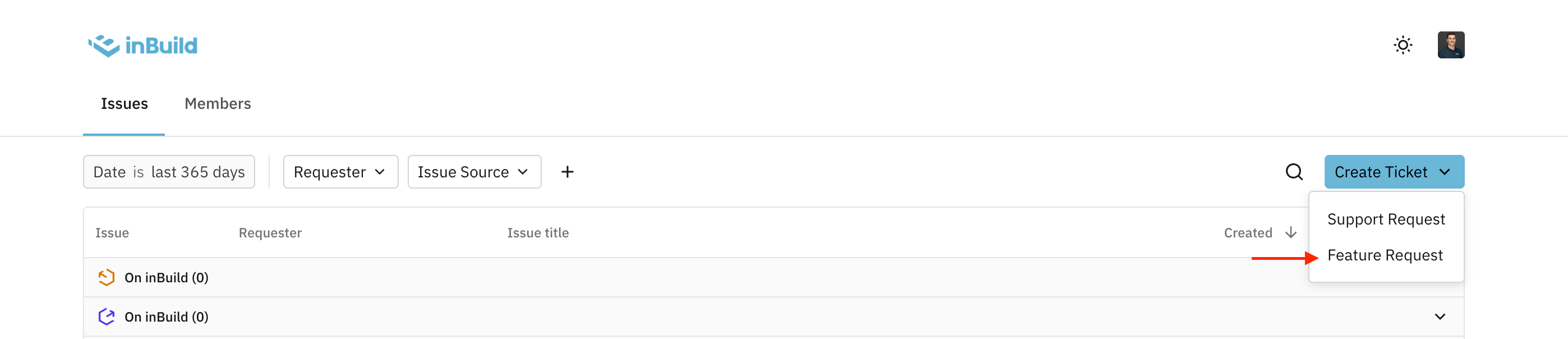
Open your browser and navigate to support.inbuild.ai.
Click Create Ticket.
Select Feature Request as the ticket type.
Fill out the form with details about your request. Be as specific as possible about what you'd like to see and why it would help your workflow.
Name
Email
Problem - Describe the problem you are facing and how this impacts your workflow and current use of inBuild.
Solution - Describe the theoretical solution to the problem you are facing and how we can improve inBuild.
Priority - How high of a priority is this for your team?
File Upload - Attach any screenshots, recordings, or supporting documentation you may have. (Not required)
Submit the ticket.
The more context you provide, the better. Include the problem you're trying to solve, how you currently work around it, and any examples of what a good solution would look like.
Frequently Asked Questions
Why can't I submit a feature request from inside the app?
Feature requests are tracked through the support portal at support.inbuild.ai so each idea is logged as a ticket, routed to the product team, and can be followed up on. Submitting through chat or email makes it harder to track and prioritize requests.
What happens after I submit a feature request?
Your request is reviewed by the inBuild team and considered alongside other requests during product planning. If slated for development, they will appears in the "Feature Requests" tab of the support.inbuild.ai portal where you can track their progress.
Can I submit a feature request if I already mentioned it in a support chat?
Yes. Even if you've discussed an idea with support, please submit it through support.inbuild.ai as a Feature Request so it's formally tracked.
Do I need a special role or permission to submit a feature request?
No. Any inBuild user can submit a feature request through the support portal, regardless of role or plan.
I'm not sure if my request is a bug or a feature. What should I do?
If something in the app isn't working the way you'd expect, use Chat with us in the sidebar so the support team can help troubleshoot. If existing functionality is working as designed but you'd like it to behave differently, submit it as a Feature Request.